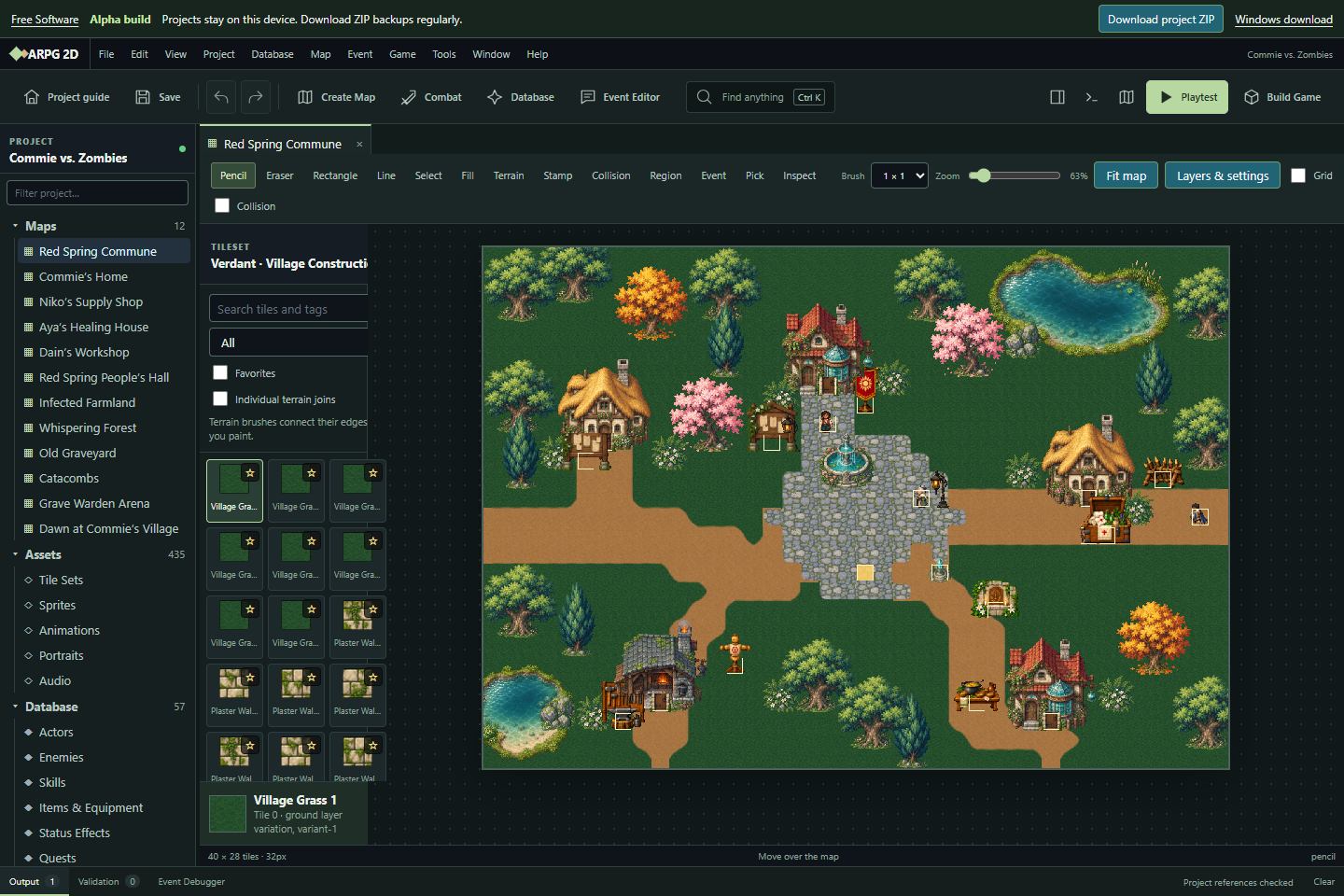
Paint maps, design characters and battles, write dialogue and events, edit sprites and animations, and playtest your game as you build it. Start with a sample adventure or bundled genre assets.
Build a world
Map painting, collision, regions, reusable stamps, sprite and animation tools, and asset import share the same editor on desktop and web.
Make it playable
Edit actors, enemies, skills, items, quests, events, interfaces, audio, translations, and data plugins. Playtest inside the editor.
Share your game
Download a standalone web game. Use the Windows editor for native game packaging and direct access to project folders.
Alpha build: expect rough edges
This is development software. Existing tools are available, but planned features remain marked as planned. Use Chrome or Edge on a desktop or laptop.
Windows 10/11, 64-bit · 176 MB installer · Build dated October 17, 2026. The installer is unsigned, so Windows may show a publisher warning.
Keep a copy of your project
Browser saves stay on this device. Use Download project ZIP regularly; clearing site data removes local saves. The browser limits project ZIPs to 512 MB when expanded.
Open a ZIP in the browser, or extract it and open project.arpg in the Windows editor. Your project is not uploaded to a server.
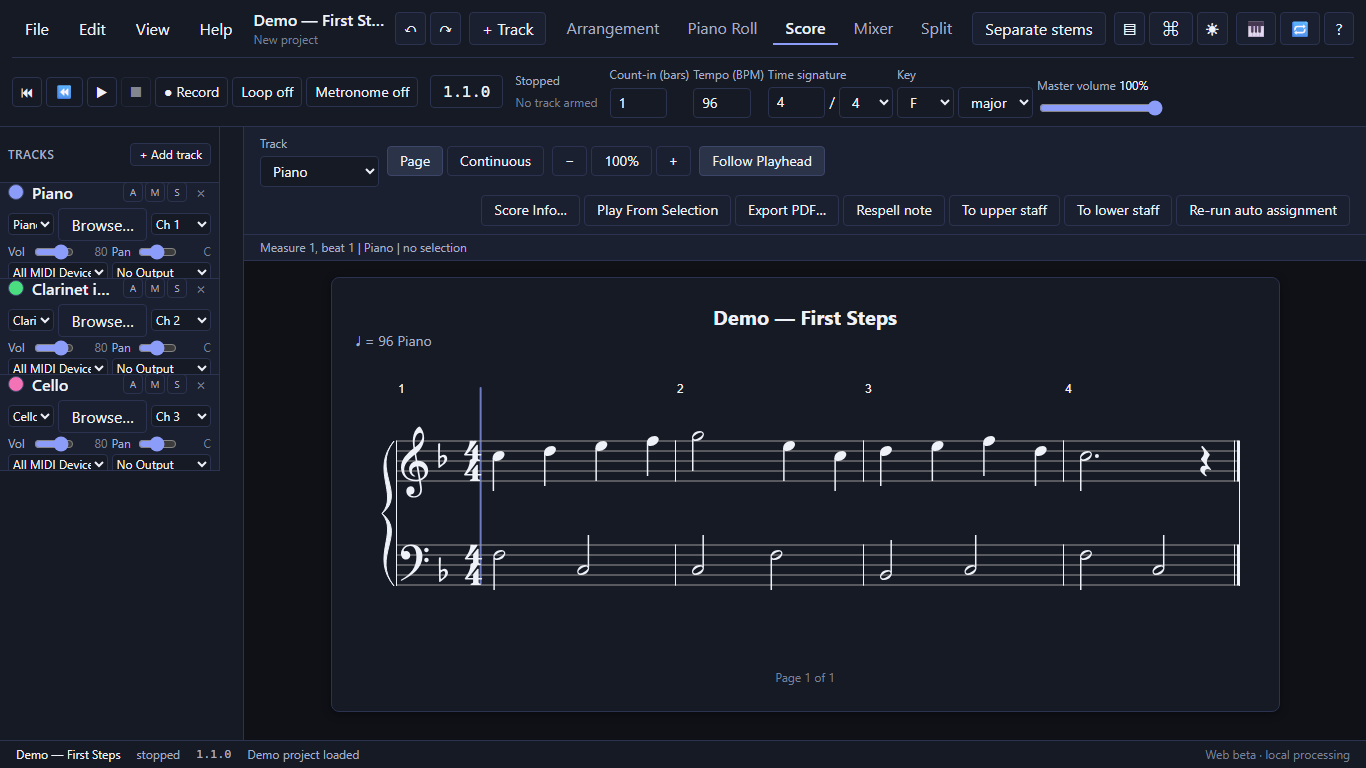
Record a MIDI keyboard or open a MIDI file, edit the notes, and read the score.
Build a song with instrument and audio tracks, mix it, and export your work.
Start with Chrome or Edge on a desktop or laptop. MIDI keyboards and microphone recording need browser permission.
Play, edit, print
Work in the piano roll or score view. Transpose for another instrument and export MIDI, MusicXML, or a printable score.
Make a song
Layer instruments and recordings, adjust track levels and effects, and download your mix as a WAV file.
Work with recordings
Try audio-to-notes transcription or split a recording into vocals, drums, bass, and other instruments.
What to expect from the beta
MIDI is the best place to start. Audio transcription is a draft that may require correction; short, clean recordings of one instrument work best. Check the score before relying on it.
Stem separation downloads a roughly 166 MB model the first time you use it and can take a while. Phone support and advanced score engraving are still limited.
Your music stays on your device
Audio processing runs in your browser. Your recordings are not uploaded to a server.
Use Save to download your project regularly. Browser recovery is local to this device and can disappear when site data is cleared.
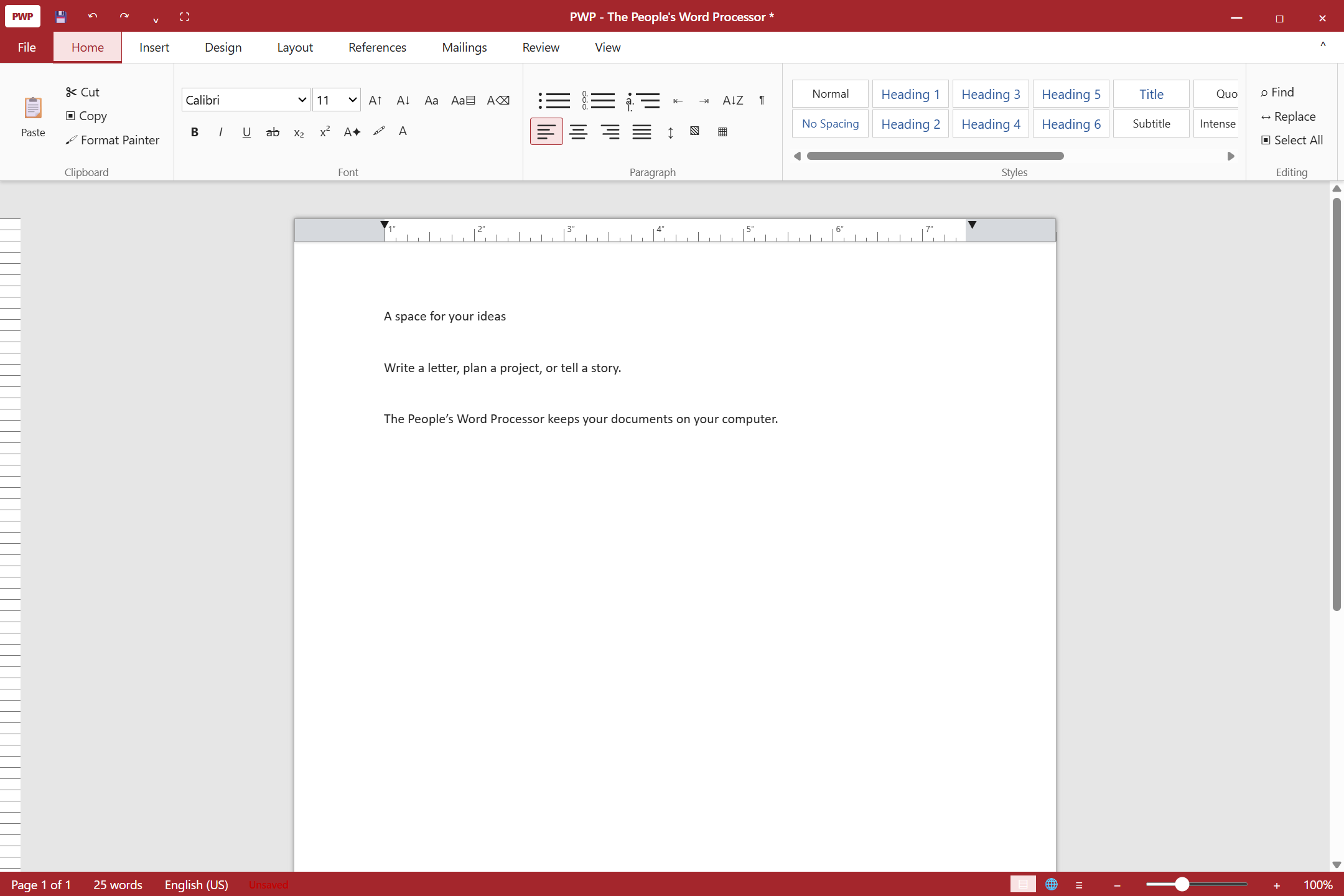
Write letters, reports, and longer documents with a traditional ribbon, page layout, tables, pictures, styles, and local spell checking. Work without an account or subscription.
Write and format
Use headings, lists, tables, images, headers, footers, page numbers, and document navigation.
Review your work
Find and replace, comments, tracked edits, spelling tools, and mail merge support everyday document work.
Print and share
Save native PWP documents, work with DOCX, RTF, text and HTML, and print or export PDF.
Windows download
Windows 10/11, 64-bit · 98 MB installer · Version 1.0.0, built October 17, 2026. This preview is unsigned; Windows may show a publisher warning.
Keep an editable original
Use the native .pwp format for your working copy. Complex Word formatting can change during import or export, so check documents before sharing or printing.
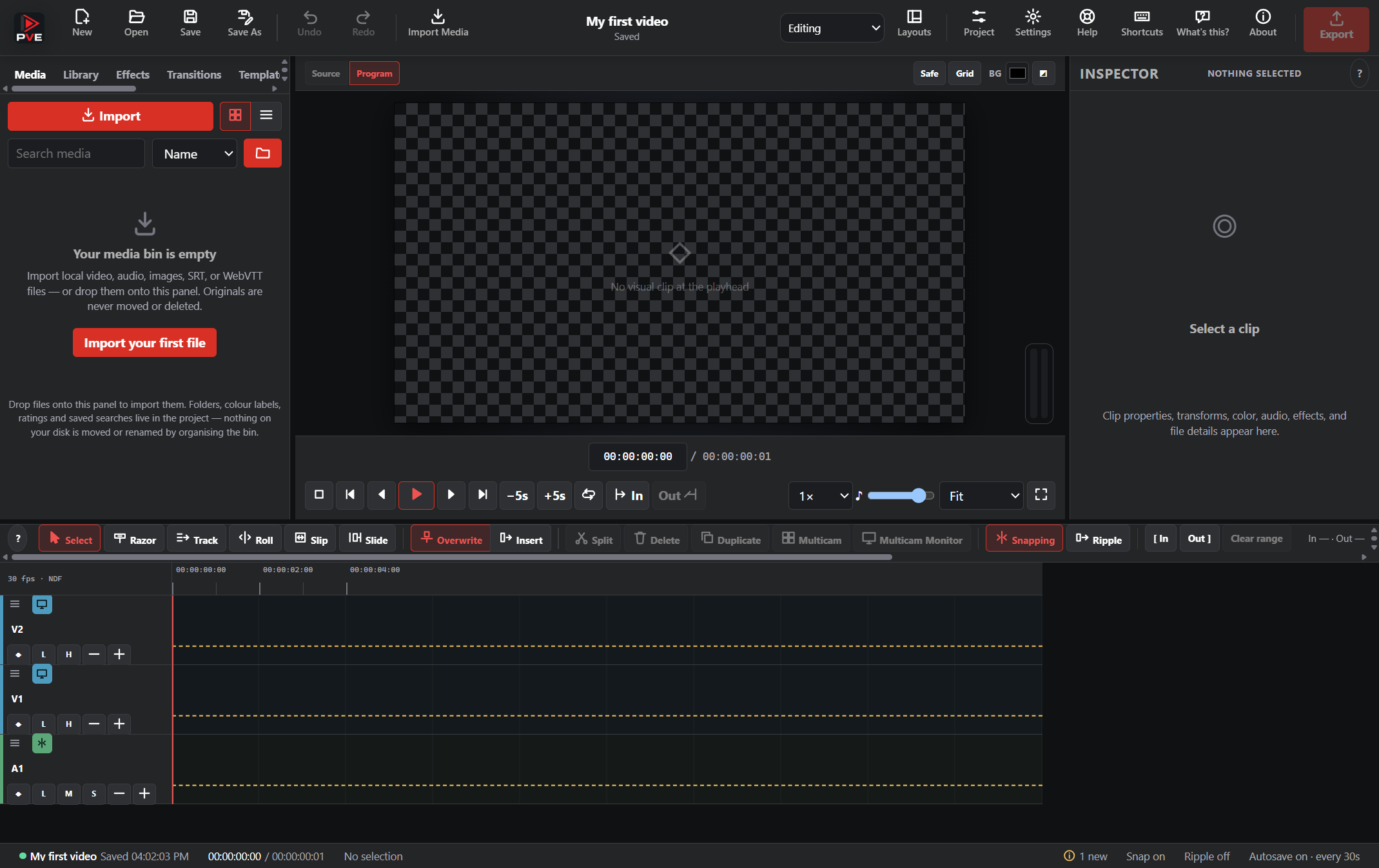
Import footage, images, and audio, arrange clips on a timeline, add titles and captions, and render your video locally. The Windows app includes its media tools and stock library.
Arrange your edit
Trim, split, move, and layer clips. Use snapping, ripple editing, undo, and adjustable video and audio tracks.
Add the details
Work with text, captions, transitions, effects, keyframes, audio levels, and the bundled media library.
Export locally
Render MP4, WebM, GIF, WAV, or MP3 with export progress and cancellation. Your editing and rendering stay on your computer.
Early software: test your workflow
Windows 10/11, 64-bit · 325 MB installer · Version 0.4.0, built October 17, 2026. This alpha is unsigned and still has performance and feature limitations. Try a short project first.
Keep your original media
A .pve project stores edits and references to your footage. Keep the original files alongside it, or use Collect Project Files when moving your project.
Stock media has its own license and credit requirements; review an asset’s details before publishing your video.